Disputed Transactions
Shine is a French neobank built for freelancers and entrepreneurs — offering a professional account, invoicing tools, and dedicated support in a single mobile app.
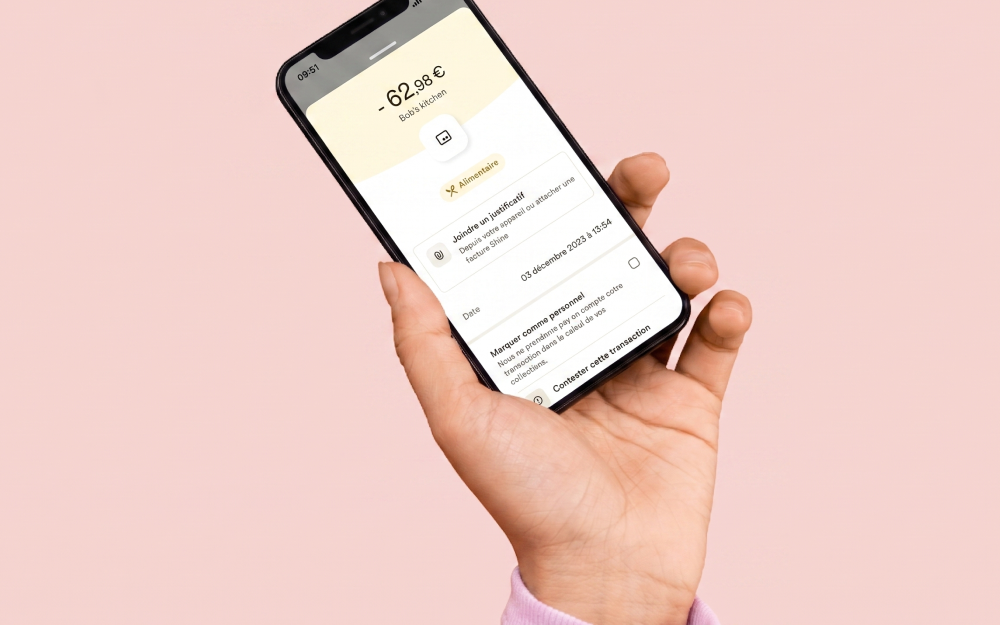
We have decreased average time needed to handle a disputed transaction and improved experience of client making a claim.
For different reasons clients might want to disput transactions in order to claim a refund. This scenario involves several steps and departments including Support and Finance. From a legal perspective a refund operation must be handled in a regulated time frame that we currently don't meet, for several reasons.
In addition, we badly track disputed transactions which make Finance team unable to get a clear vision upon payouts coming out from Shine's account.
Finally, clients have to reach the support, fill a specific document, send it to the support that will then transfer it to another department.
Yep, a truly painful experience indeed.
After mapping the whole end-to-end process and talking to several involved departments, we realize that most of informations asked to the clients could be either asked or retrieved directly from Intercom or our Internal backoffice.
Initial flow
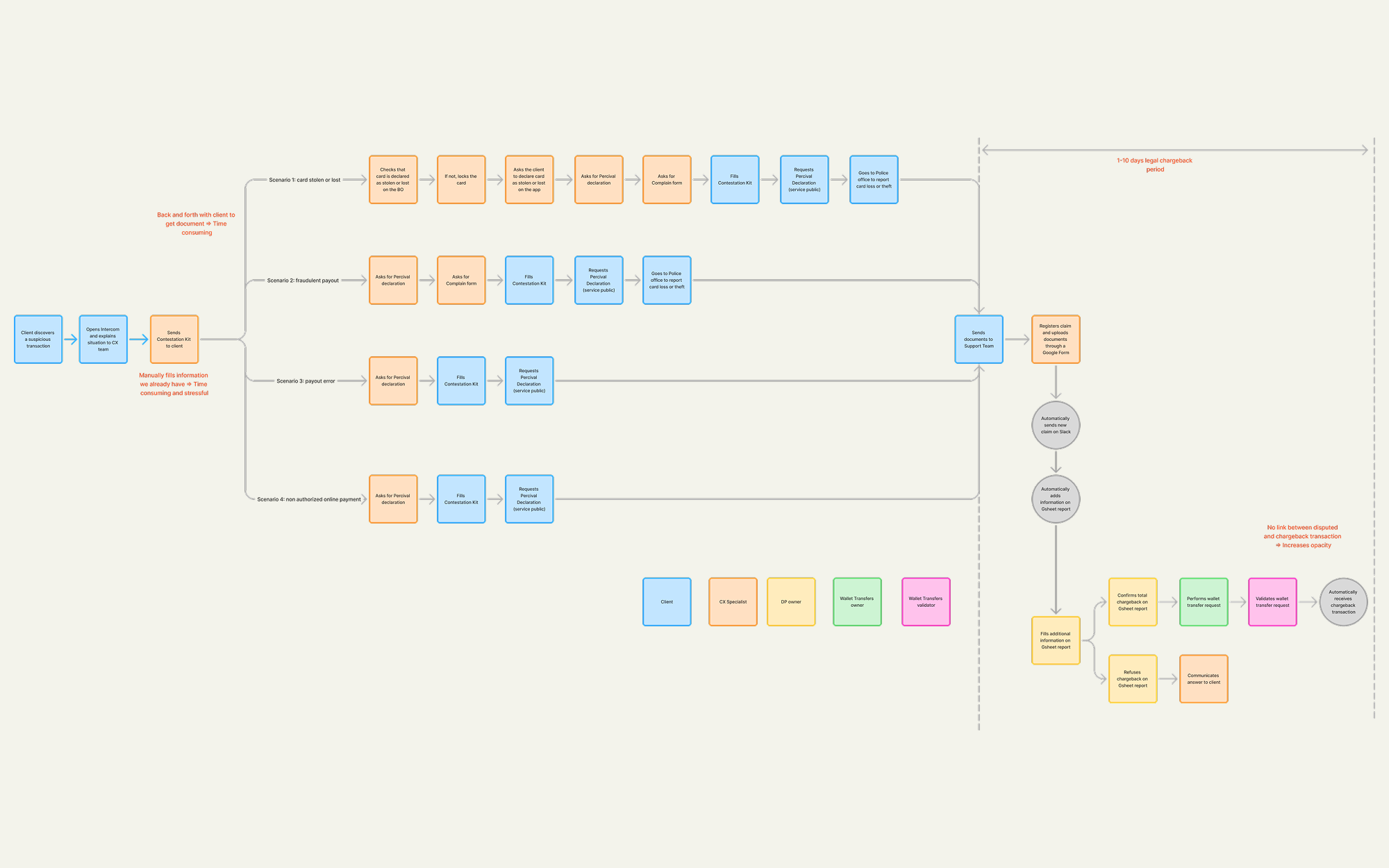
The initial flow was quite complicated and time consuming. Something you don't want when someone might has stolen your account... Users had to print a document, fill it with suspicious transactions ID, then scan it and sending back to Customer Support.
What could be simplified
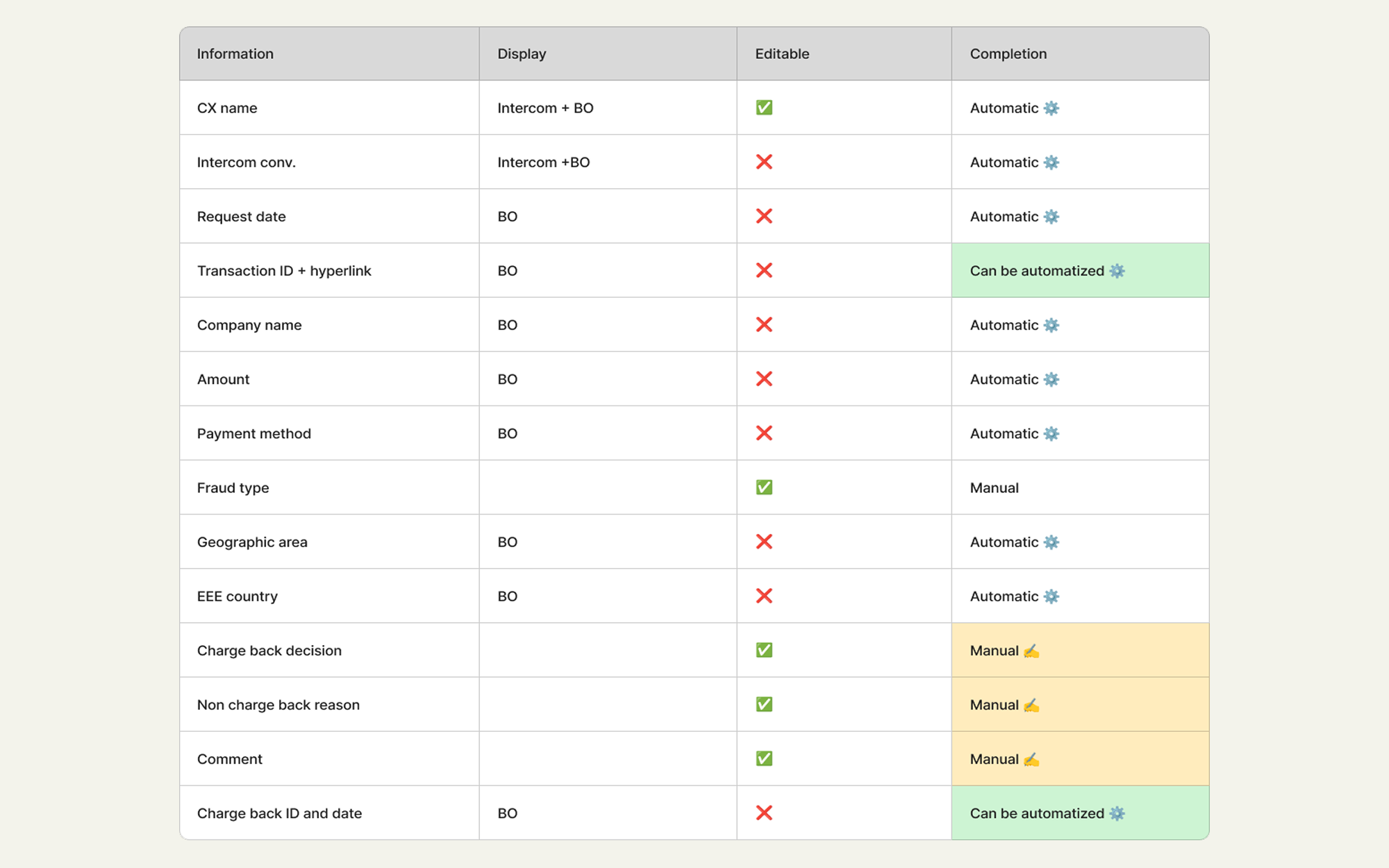
We listed all needed actions and thought about which ones could be simplified and automated.
New flow
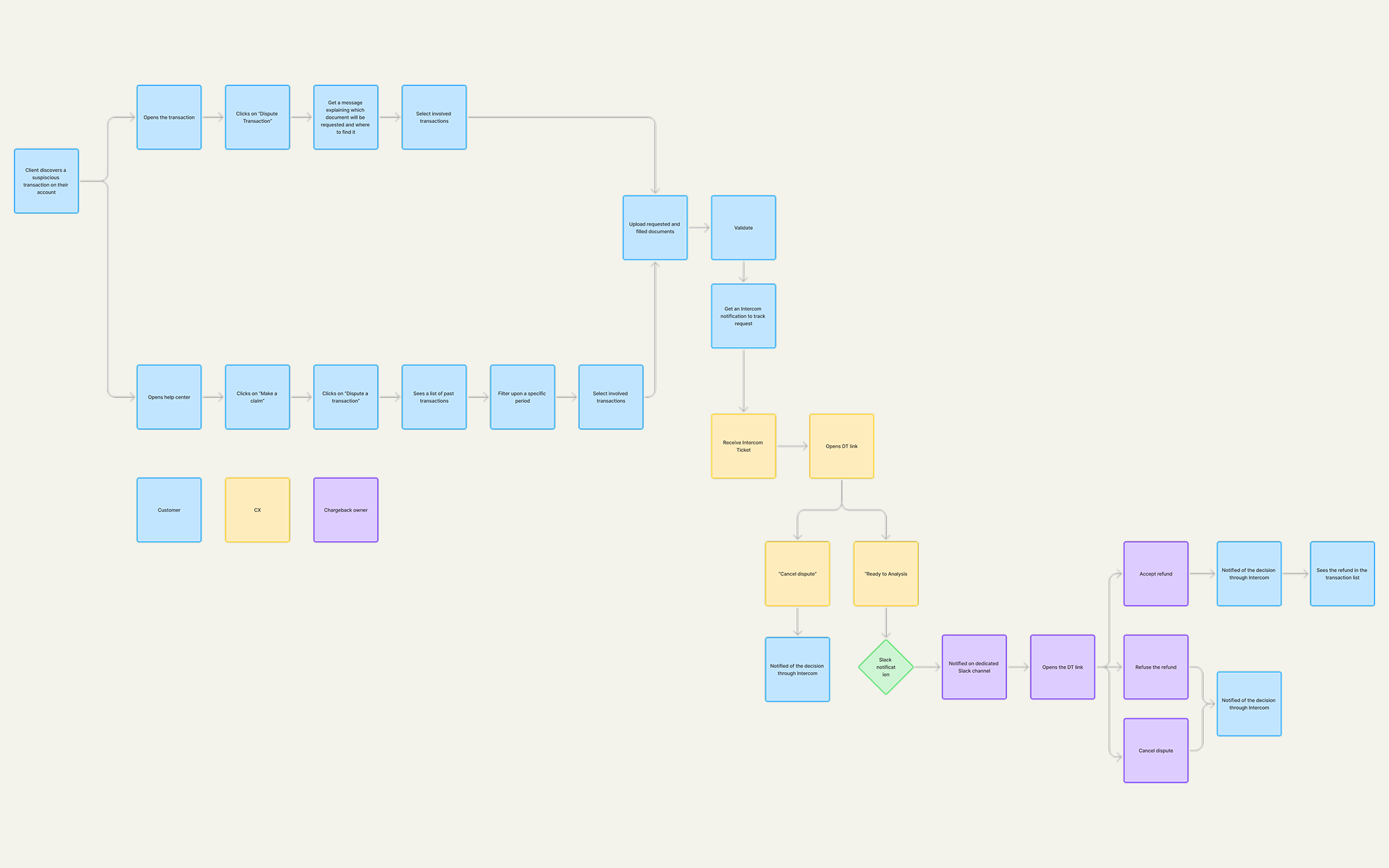
The new flow would be way more simpler and fully digitalized between user app, Intercom Back Office and Slack.
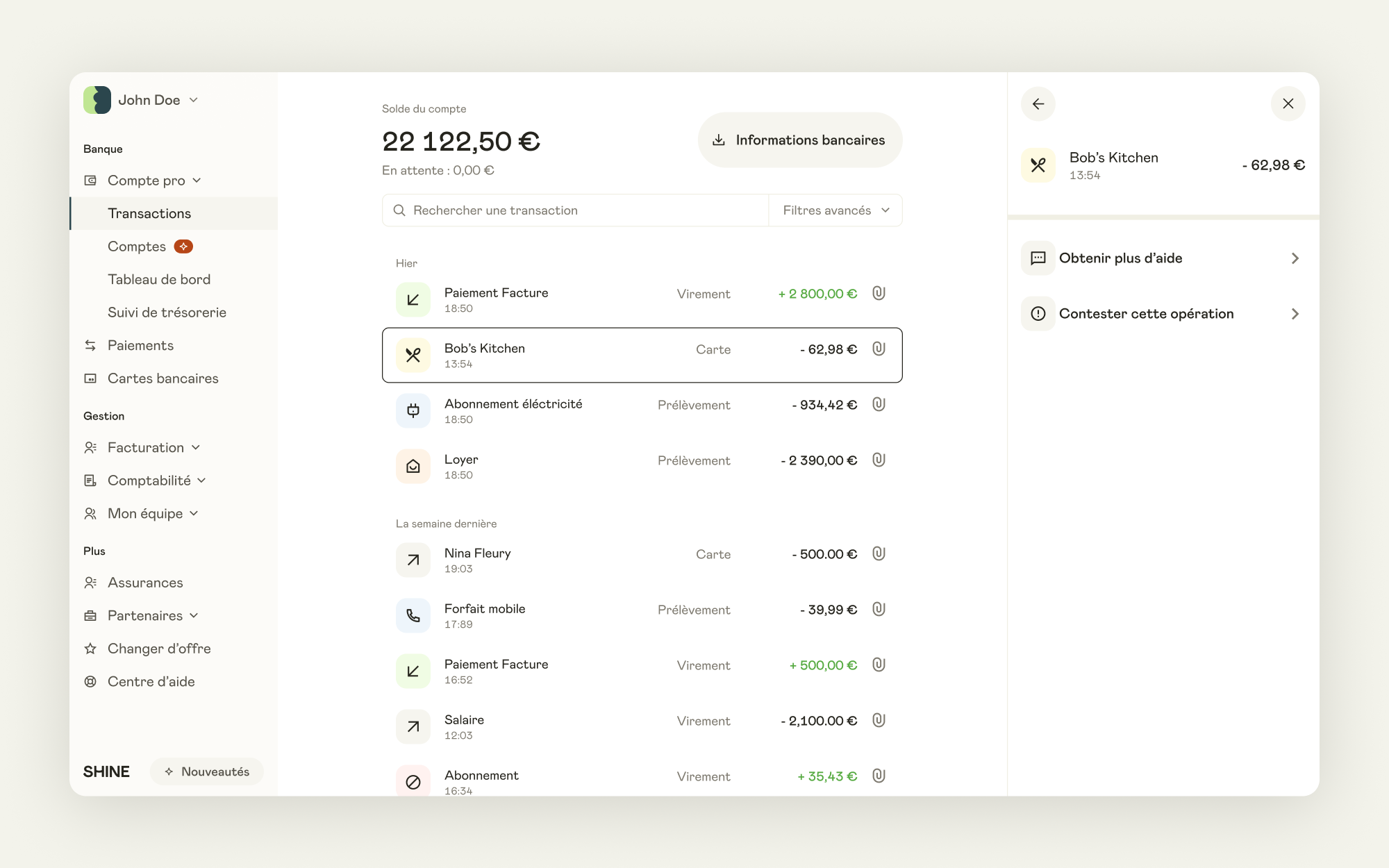
Identifying a transaction
From their list of transactions, user can easily retrieve the suspicious transaction and contest it.
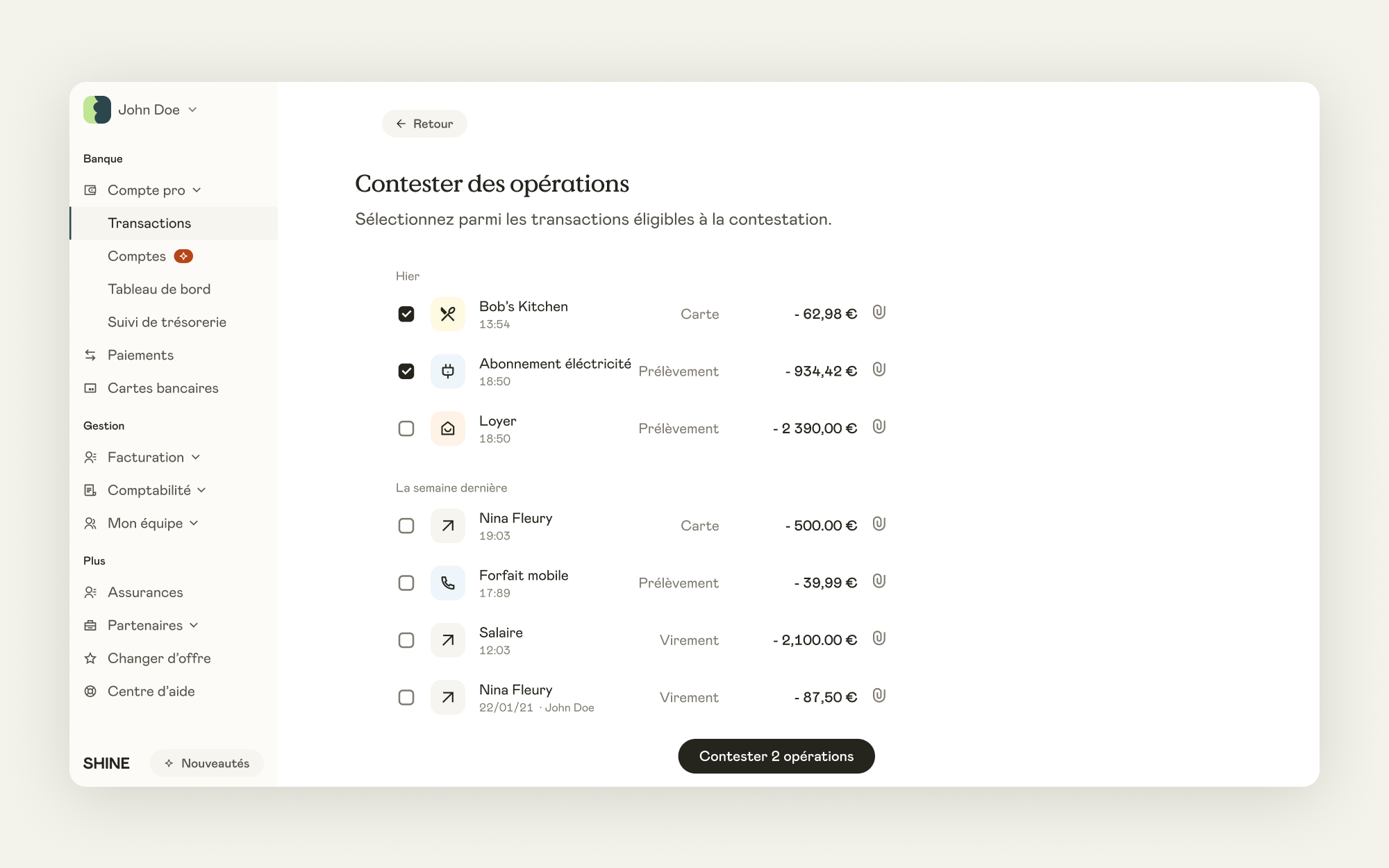
Selecting different transactions
If the contestation involves multiple transactions, user can easily select all of them.
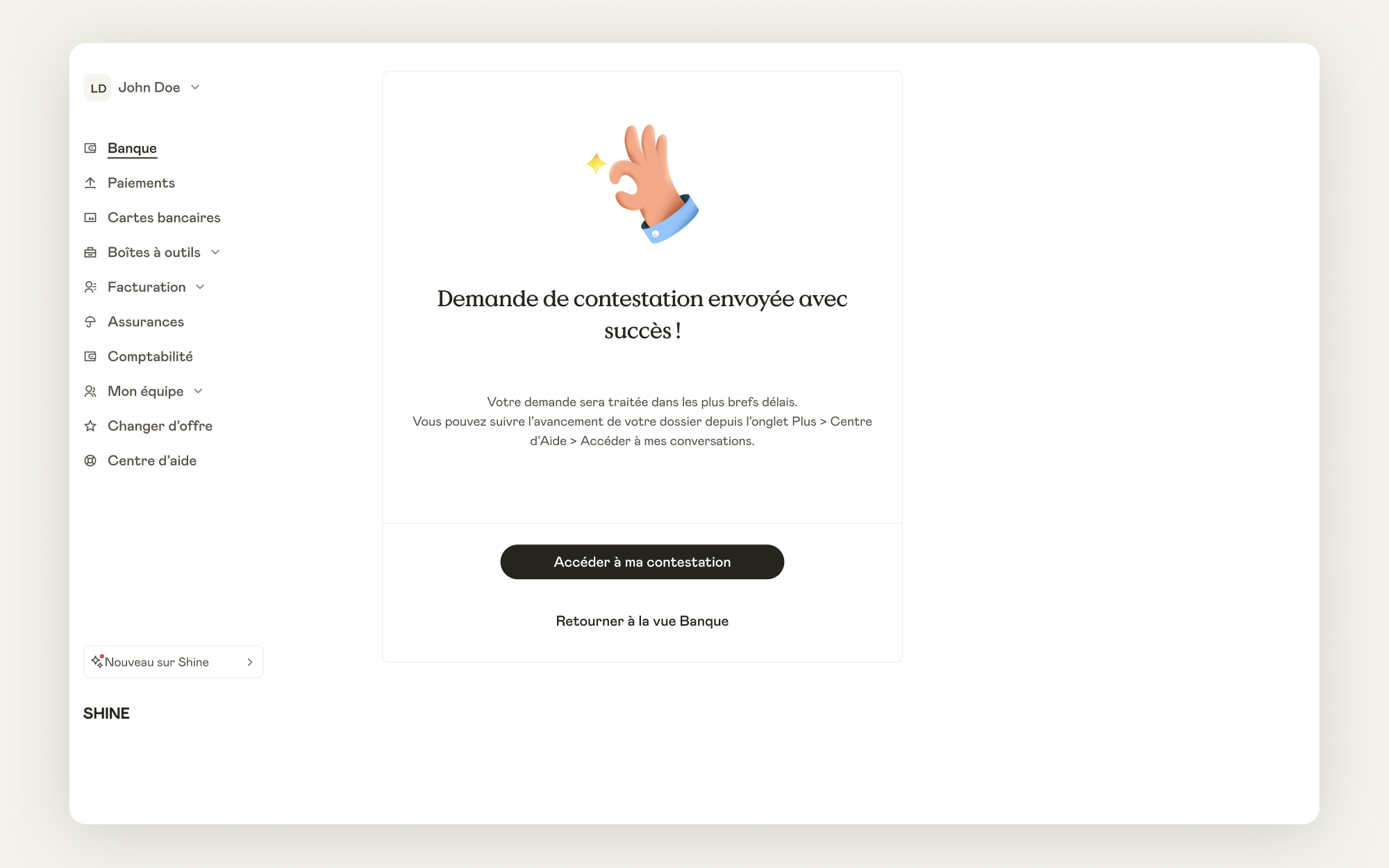
Sending the dispute
After sending the contestation, user can retrieve it directly from their last Intercom conversations.
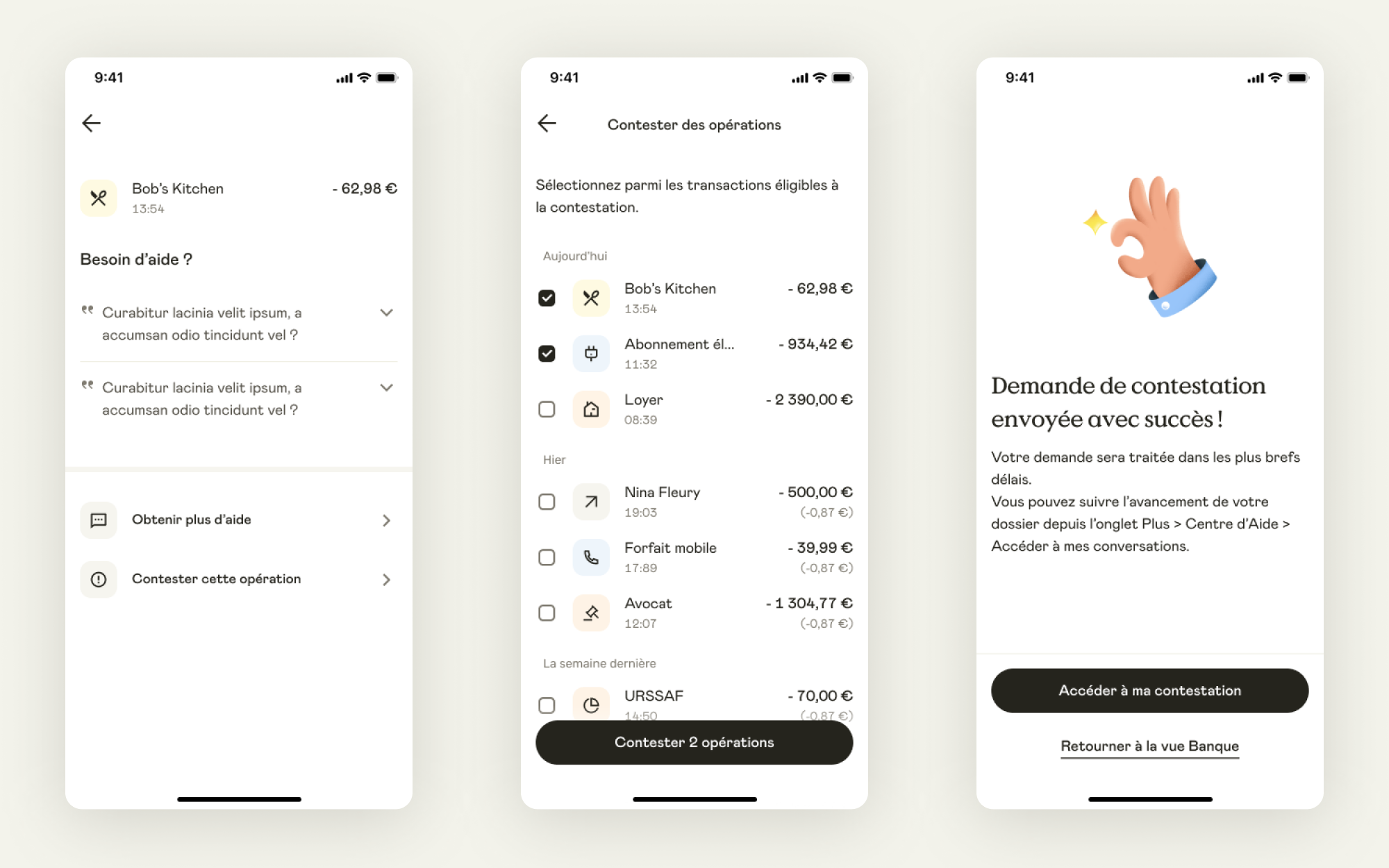
Mobile version
Obviously user can contest transactions on both desktop and mobile app.
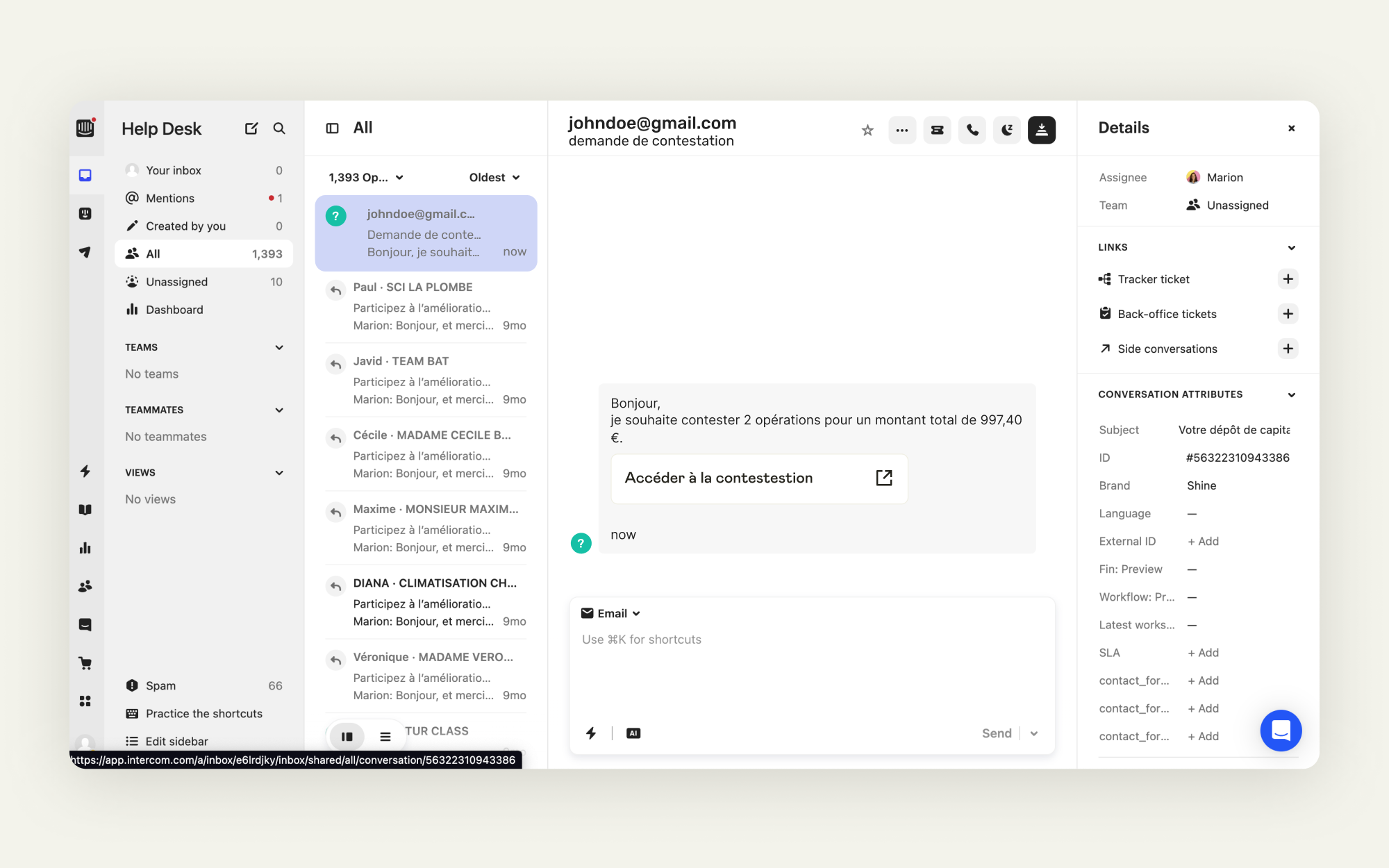
Receiving the dispute from Intercom
Customer Support now receives the dispute link directly from an Intercom conversation.
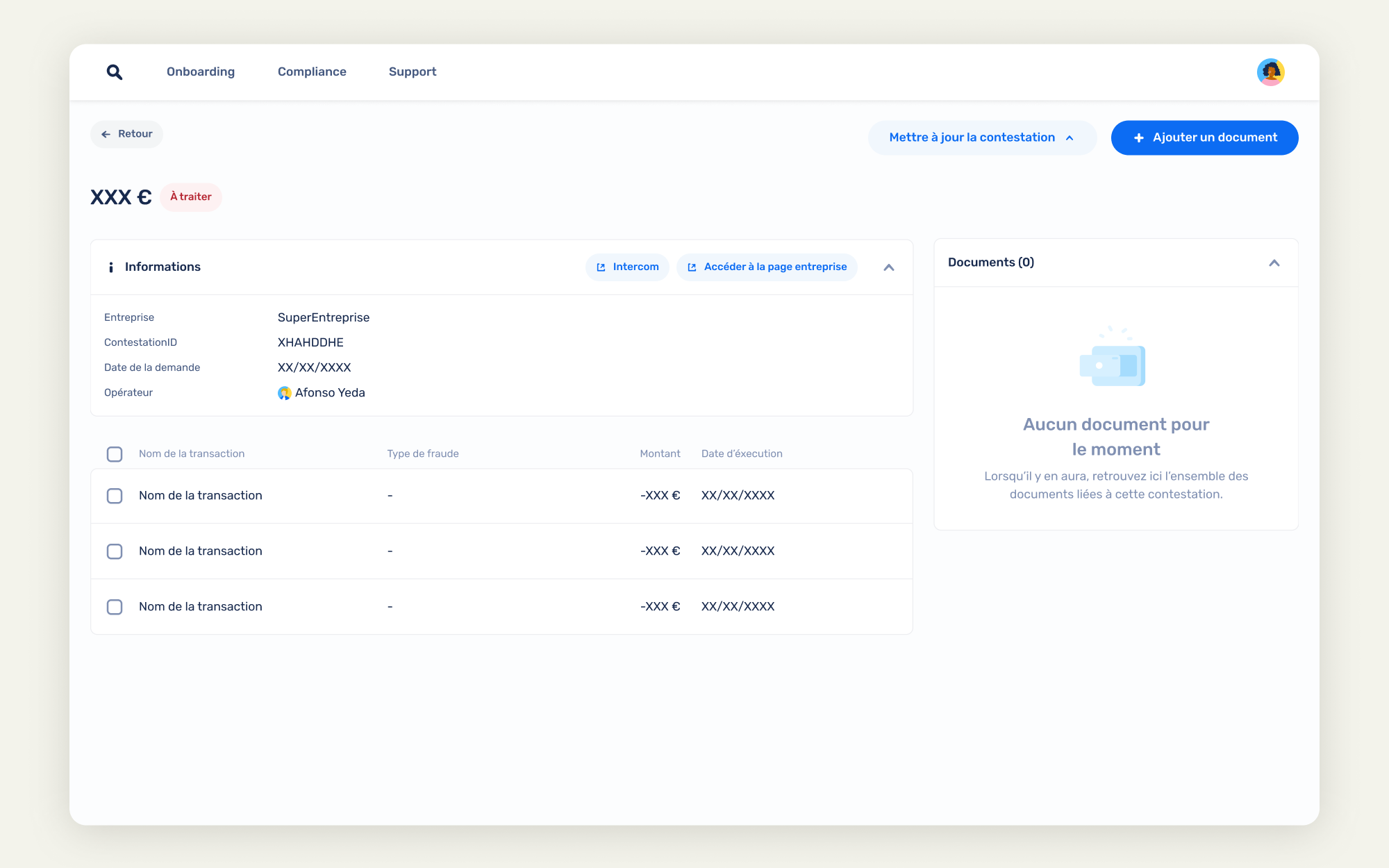
Dispute details
A dispute is created and accessible within the Back Office, displaying involved transactions.
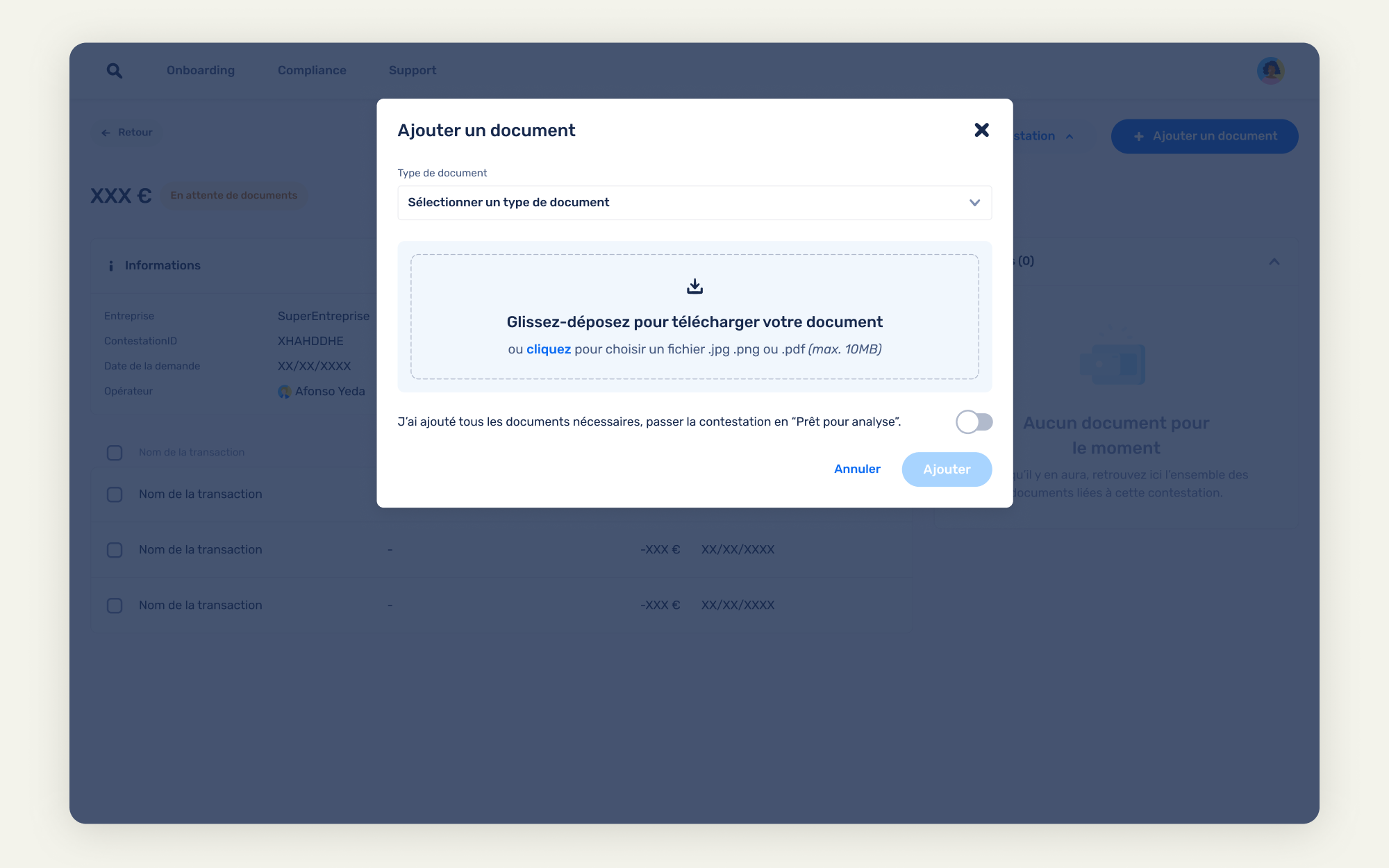
Uploading the contestation kit
It becomes also way easier for Customer Support to attaches requested documents like contestation kit.
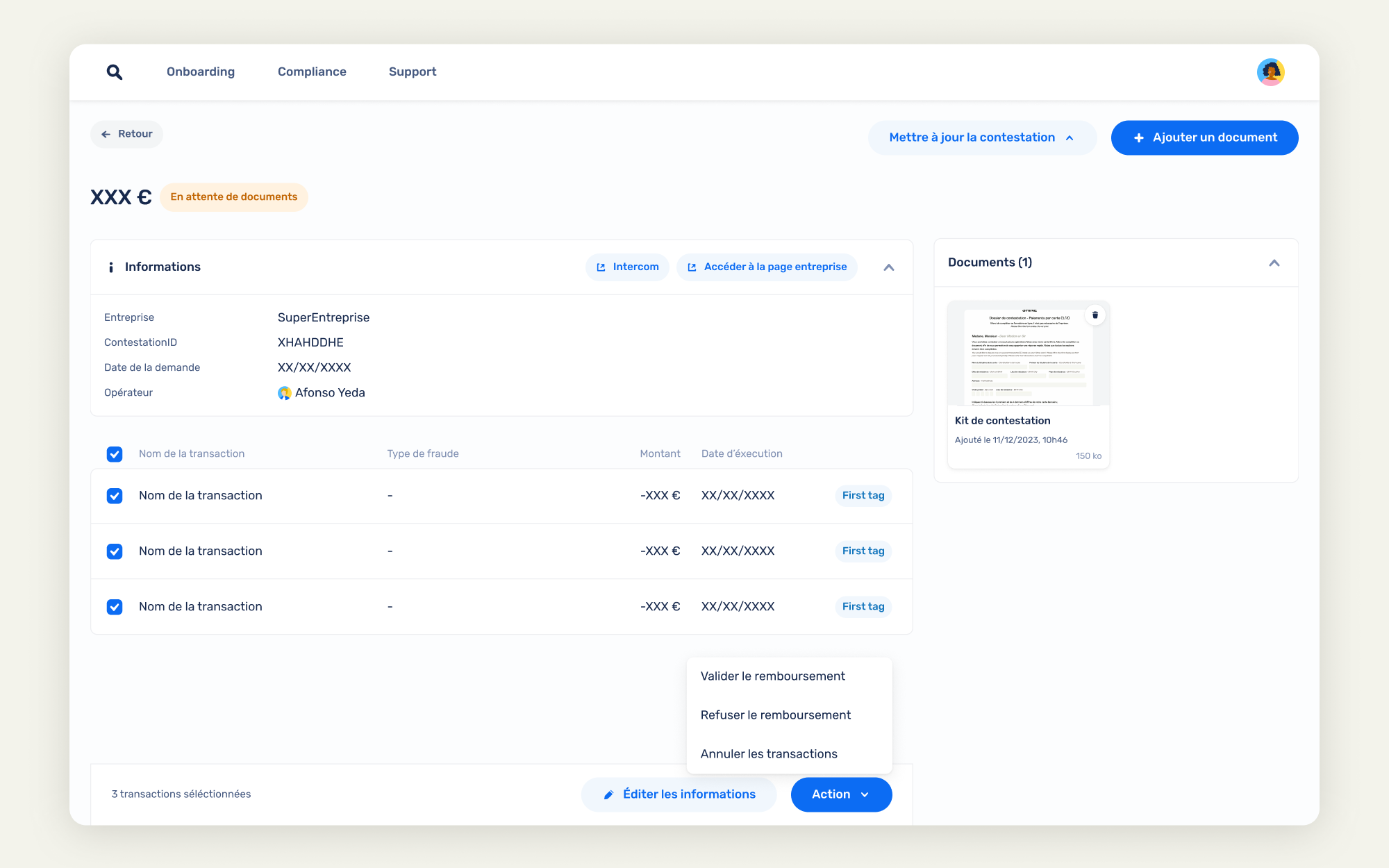
Charging back
If the dispute is considered as legit, the Support can now charges back directly from the Back Office.
Redesigning the whole process significantly helped reduce internal manual workload and speed up response times, which increased the satisfaction rate.
Please note that these projects are highly confidential and might be still work in progress.
Thanks for not sharing.


